

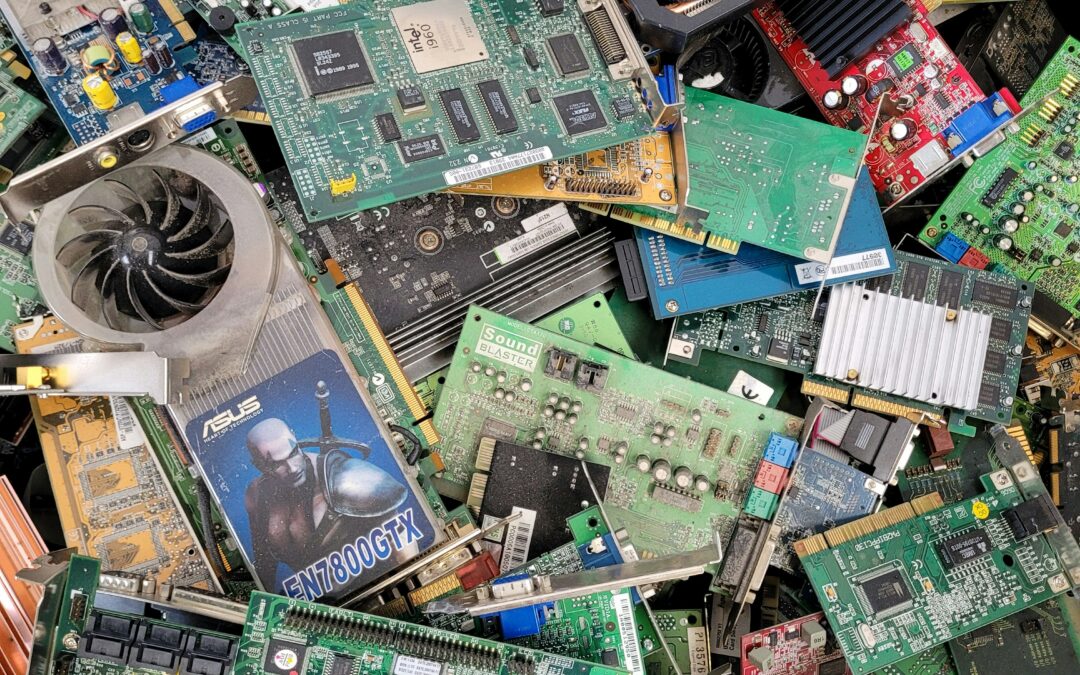
What Electronics Should Never Be Thrown in the Trash?
You finally clean out that junk drawer, closet, or storage room and discover a pile of old electronics you haven’t touched in years. A broken laptop. A few dead cell phones. Tangled charging cables. Maybe even an old printer collecting dust in the corner.
The temptation is understandable: toss everything into a garbage bag and move on.
But before you do, it’s important to know that many electronic devices should never be thrown in the trash. Not only can they contain hazardous materials, but they may also hold sensitive personal or business data that could still be recoverable.
So what electronics should never go in the garbage? Let’s break it down.
Quick Answer
Electronics that should never be thrown in the trash include:
* Computers and laptops
* Hard drives and solid-state drives (SSDs)
* Smartphones and tablets
* Printers and copiers
* Monitors and televisions
* Servers and networking equipment
* Rechargeable batteries
* UPS battery backups
* External storage devices
* Cables, chargers, and accessories
These items should be recycled through a certified electronics recycling or IT Asset Disposition (ITAD) provider whenever possible.
Why Electronics Don’t Belong in the Trash
Most people think of electronics as plastic, metal, and glass. While that’s true, electronic devices also contain materials that can create environmental and safety risks when sent to landfills.
Depending on the device, electronics may contain:
* Lithium batteries
* Lead
* Mercury
* Cadmium
* Copper
* Rare earth metals
When improperly discarded, these materials can contaminate soil and water or create fire hazards during transportation and waste processing.
In addition to environmental concerns, many electronic devices store personal or business information long after they stop working.
1. Computers and Laptops
Old computers are among the most commonly improperly discarded electronic devices.
Even if a computer no longer turns on, its storage drive may still contain:
* Financial records
* Tax documents
* Passwords
* Customer information
* Personal photos
* Email archives
Many people assume that deleting files permanently removes data. In reality, information can often be recovered if proper data destruction procedures are not used.
Before recycling a computer, organizations and individuals should ensure that storage devices are securely wiped or physically destroyed.
2. Hard Drives and SSDs
Hard drives deserve special attention.
If there’s one electronic device that should never end up in the trash, it’s a storage device.
Hard drives and SSDs often contain:
* Business records
* Customer databases
* Medical information
* Intellectual property
* Login credentials
Even drives removed from old equipment may still hold recoverable information.
Professional electronics recyclers and ITAD providers use certified data destruction methods such as:
* Data wiping
* Secure erase procedures
* Degaussing (for magnetic drives)
* Physical shredding
3. Cell Phones and Tablets
Modern smartphones contain an incredible amount of personal information.
A single device may store:
* Banking apps
* Password managers
* Photos and videos
* Contact lists
* Text messages
* Location history
* Social media accounts
Before recycling a phone or tablet, users should back up important data, perform a factory reset, and, whenever possible, work with a reputable recycling provider.
4. Printers and Copiers
Many people are surprised to learn that modern printers and copiers often contain internal storage.
Business copiers, multifunction printers, and production print systems may store:
* Scanned documents
* Print jobs
* Employee records
* Customer information
Organizations frequently overlook these devices during office cleanouts, creating unnecessary data security risks.
5. Monitors and Televisions
Old monitors and televisions should never be disposed of in household trash.
Certain display technologies may contain materials that require specialized handling and recycling.
Recycling these devices helps recover valuable materials while preventing potentially hazardous substances from entering landfills.
6. Servers and Data Center Equipment
Servers often contain some of the most sensitive information within an organization.
Retired servers may store:
* Corporate databases
* Customer records
* Financial data
* Intellectual property
* Email archives
Because of the data security risks involved, servers should be processed through a documented ITAD program with verified chain-of-custody procedures.
7. Batteries and Battery Backups
Lithium-ion batteries represent one of the fastest-growing challenges in electronics recycling.
Never throw the following items in the trash:
* Laptop batteries
* Phone batteries
* Tablet batteries
* Power tool batteries
* UPS batteries
* Portable power stations
Damaged batteries can overheat, ignite, or cause fires during waste collection and processing.
Many communities offer dedicated battery recycling programs for safe disposal.
8. Networking Equipment
Routers, switches, firewalls, and wireless access points often contain configuration data that organizations overlook.
These devices may store:
* Network settings
* Administrative credentials
* Security configurations
* VPN information
While they may seem harmless, improperly discarded networking equipment can create unnecessary security risks.
9. USB Drives and External Storage Devices
USB flash drives, external hard drives, memory cards, and backup devices are small enough to lose track of yet large enough to pose significant data security risks.
Because these devices are easy to overlook, they are frequently found during office cleanouts and facility relocations.
Every storage device should be securely sanitized before disposal or recycling.
What Should You Do Instead?
The best option is to recycle electronics through a reputable electronics recycling or IT Asset Disposition provider.
A professional recycling process typically includes:
1. Asset collection and inventory
2. Secure transportation
3. Data destruction
4. Equipment evaluation
5. Refurbishment or remarketing when appropriate
6. Responsible recycling of non-reusable components
This approach protects both the environment and sensitive information.
Common Questions About Electronic Waste
Can I throw away a broken laptop?
No. Even if the laptop no longer functions, the storage drive may still contain recoverable data, and the device contains materials that should be recycled responsibly.
Is a factory reset enough before recycling a phone?
A factory reset is an important first step, but organizations handling sensitive information often require additional verification and secure data destruction procedures.
Why are batteries dangerous in the trash?
Lithium batteries can be damaged during collection and transportation, potentially causing fires in garbage trucks, transfer stations, and recycling facilities.
What electronics contain personal information?
Many devices store data, including computers, phones, tablets, printers, copiers, servers, USB drives, external hard drives, and networking equipment.
What is the safest way to dispose of electronics?
Using a certified R2-v3 ITAD provider is generally the safest option because it addresses both environmental compliance and data security concerns.
Final Thoughts
When in doubt, don’t throw electronics in the trash.
Most electronic devices contain either valuable materials, sensitive data, hazardous components, or all three. Taking a few extra minutes to recycle them properly can help prevent data breaches, reduce environmental impact, and keep potentially dangerous materials out of landfills.
The next time you’re cleaning out old technology, remember a simple rule: if it plugs in, powers on, stores data, or contains a battery, it probably shouldn’t go in the garbage. Contact the certified folks at NexTech. We can help. [www.nextechpartners.com](http://www.nextechpartners.com)